Cost breakdown
Setup and programming are amortized across quantity
- Materialn/a
- Setup / CAMn/a
- Machine timen/a
- Tooling / finishn/a
- Cost / part
- n/a
- Quantity
- n/a
- Cost per part
- n/a
- Total job cost
- n/a
- Cycle time / part
- n/amin
- Machining cost / part
- n/a
- Setup + CAM / part
- n/a
- Subtotal / part
- n/a
- Margin amount (job)
- n/a
- Batch hours
- n/ah
A first-pass CNC quote stacks material, machine time, one-time setup and programming amortized over quantity, tooling, and finishing, then optional margin. This pad turns those numbers into cost per part and total job cost without a CAD feature tree.
Defaults open on quantity 10, cycle 6 min/part, machine rate 85 /hr, material 8 /part, setup 60 min, programming 100. CALCULATE returns machining 8.50 /part, setup+CAM 18.50 /part, subtotal 35.00 /part, and job total 350.00. Switch Cycle time source to Estimate from turning or milling when you only have cut parameters. Currency is whatever unit you type.
It lives under Manufacturing Calculators. Build a tighter floor-to-floor time on the CNC cycle time calculator, then bring minutes back here. Stock blank mass for the material line comes from the metal weight calculator.
Formula
- Machining cost / part = (cycle minutes / 60) × machine hourly rate.
- Setup + CAM total = (setup minutes / 60) × machine rate + programming cost (once per job).
- Setup + CAM / part = setup+CAM total ÷ quantity.
- Subtotal / part = material + machining + setup/CAM share + tooling + finishing.
- Total job = subtotal/part × quantity × (1 + margin%/100). Cost per part = total job ÷ quantity.
- Turning estimate: N = 1000 × Vc / (π × D), t_pass = L / (f × N), cycle = t_pass × passes.
- Milling estimate: t_pass = (L + approach) / table feed, cycle = t_pass × passes.
Reproduce the default quote path on CALCULATE:
| Bucket | Inputs | Result |
|---|---|---|
| Machine time | 6 min × 85 /hr | 8.50 / part |
| Setup + CAM | (60 min × 85 + 100) ÷ 10 | 18.50 / part |
| Material | 8 / part | 8.00 / part |
| Subtotal / part | 8 + 8.50 + 18.50 | 35.00 |
| Job total (qty 10) | 35 × 10 | 350.00 |
| With 20% margin | 350 × 1.20 | 420.00 (42.00 / part) |
How it works
Build a first-pass CNC quote from material, machine hourly rate, cycle time (typed or estimated from turning/milling), setup and programming amortized over quantity, optional tooling and finishing, and margin. Currency-neutral.
Pick Cycle time source: enter minutes from CAM, or estimate from a simple turning or milling cut. Enter quantity, machine hourly rate, material per part, setup minutes, and one-time programming cost. Optional tooling, finishing, and margin fill the rest. CALCULATE fills Results and the cost breakdown. Editing a field clears Results. RESET restores the qty-10 quote defaults.
Quote buckets shops actually use
Professional estimates stack the same buckets used in shop quoting: raw material, machining time × machine rate, one-time setup and programming, tooling wear, and finishing. This pad keeps those buckets editable so you can mirror a traveler or a supplier quote.
Machine rate should be a fully burdened shop rate (labor, depreciation, floor space, utilities), not bare wages. Setup minutes cover fixturing and first-article prove-out. Programming cost is the CAM / NRE line, charged once per job and divided by quantity.
Default qty-10 breakdown on this pad:
| Line | Value |
|---|---|
| Machine rate | 85 / hour |
| Cycle | 6 min / part |
| Setup | 60 min once |
| Programming | 100 once |
| Material | 8 / part |
| Cost / part (0% margin) | 35.00 |
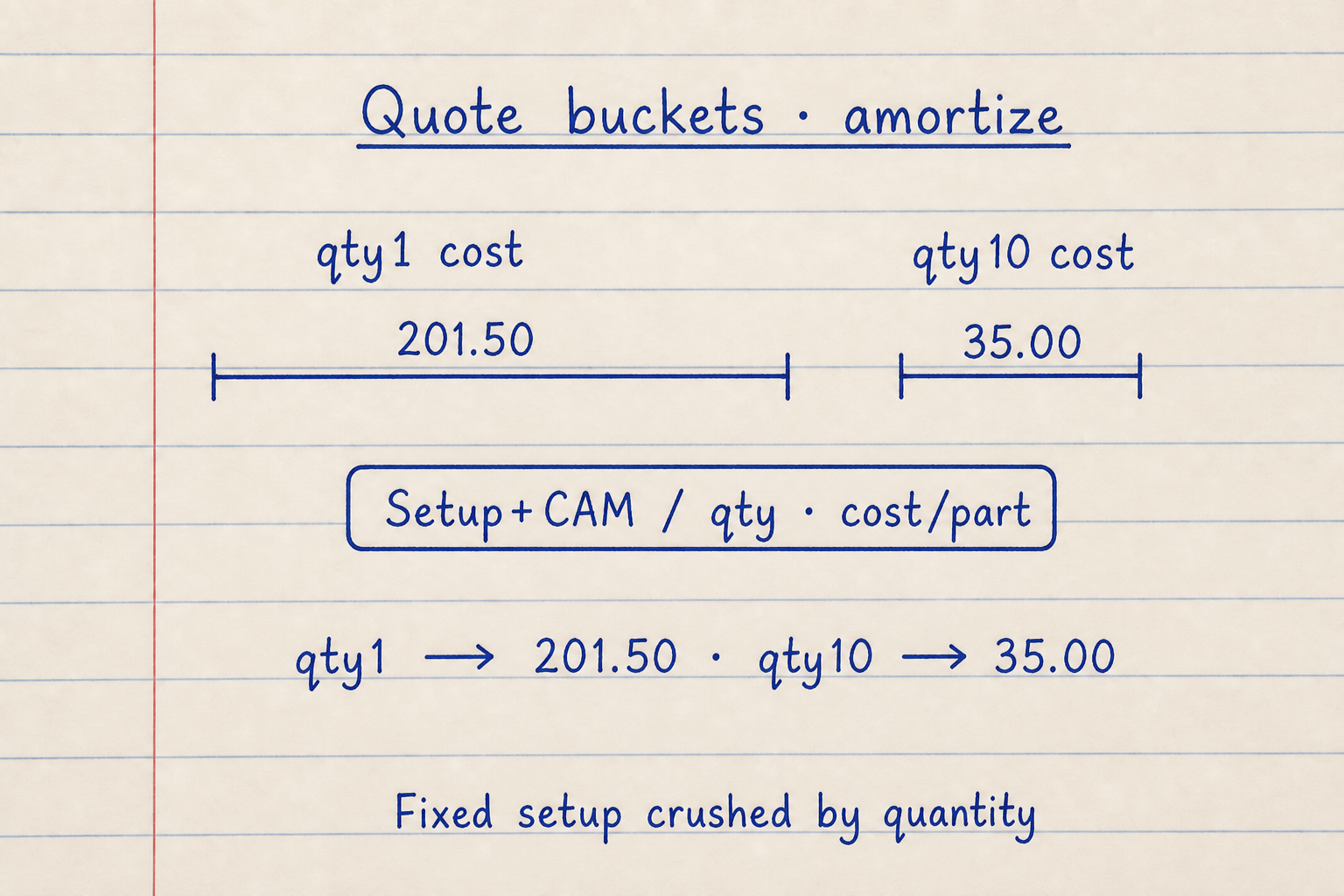
Setup+CAM (185) lands entirely on qty 1 (201.50 / part) and amortizes to 18.50 / part at qty 10 (35.00 total).
Raise quantity on CALCULATE to see cost per part fall while batch hours rise with cycle × qty.
Why quantity crushes setup cost per part
Setup and CAM are fixed for the job. Dividing them by quantity is why prototypes look expensive and production looks cheap on the same spindle rate. A 60-minute setup at 85 /hr is 85 of machine time before you add the 100 programming line.
This pad amortizes setup minutes at the machine rate plus the flat programming cost, then divides by quantity. It does not invent a separate programmer hourly rate. If your CAM rate differs from the spindle rate, fold the difference into the Programming / CAM cost field.
Same 185 setup+CAM total, different qty:
| Quantity | Setup+CAM / part | Cost / part (with defaults) |
|---|---|---|
| 1 | 185.00 | 201.50 |
| 10 | 18.50 | 35.00 |
| 100 | 1.85 | 18.35 |
Enter cycle minutes or estimate a simple cut
Most quoting starts from CAM cycle time or a stopwatch on a similar job. Use Enter cycle time and paste minutes per part (include load/unload if your shop bills that way).
When you only know cut parameters, Estimate from turning uses N = 1000·Vc/(π·D) and t = L/(f·N)×passes. Estimate from milling feed uses (L + approach) / table feed × passes, matching the single-op idea on the machining time calculator. Neither mode replaces a full CNC cycle with rapids and tool changes. Pull those from the cycle-time pad when the path is multi-tool.
Turning estimate defaults on this pad:
| Input | Value |
|---|---|
| Length L | 150 mm |
| Vc | 100 m/min |
| Feed f | 0.2 mm/rev |
| Diameter D | 40 mm |
| Passes | 2 |
| Approx. cycle | 1.885 min |
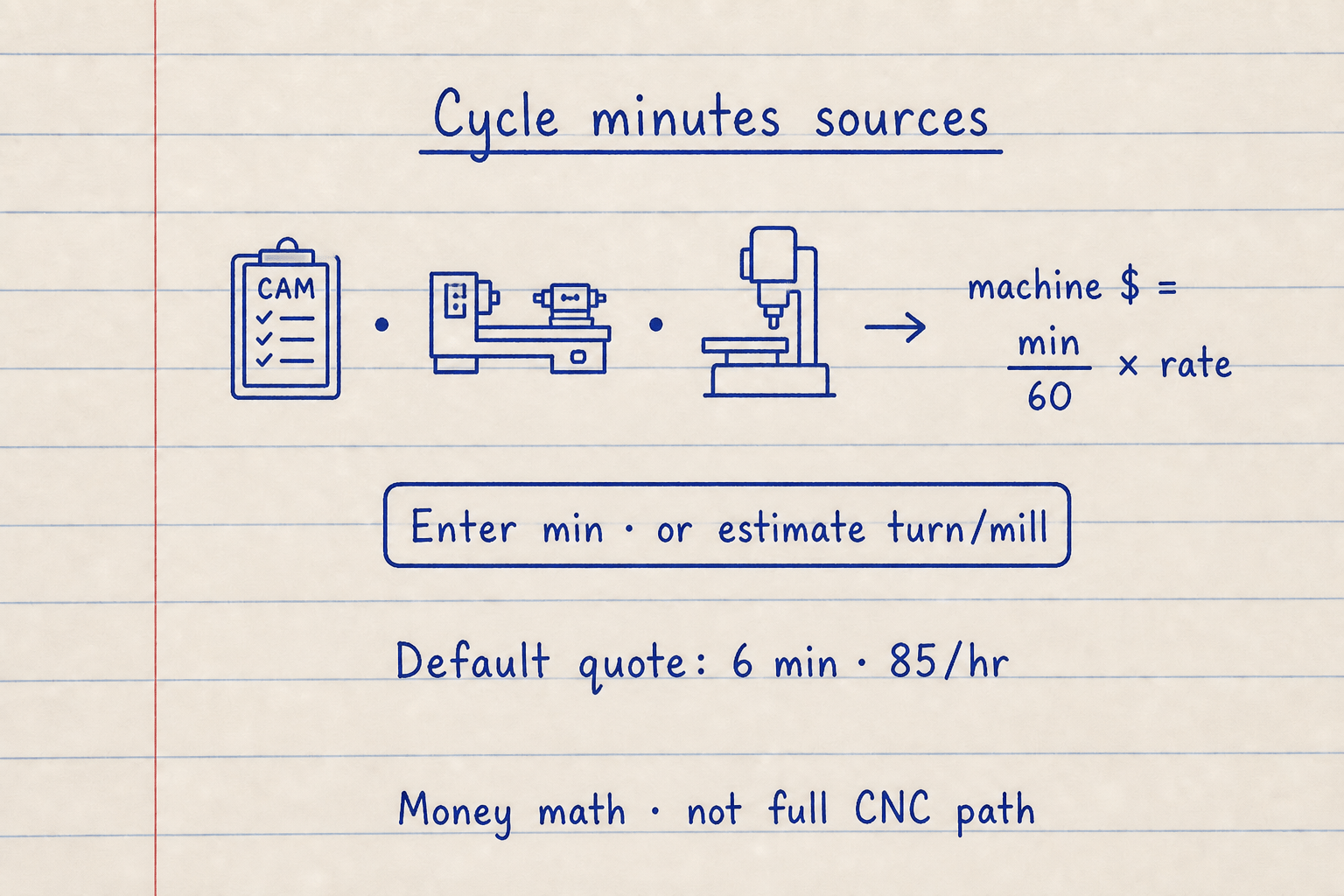
Enter cycle minutes from CAM, or estimate a simple turn/mill cut, then CALCULATE.
Default quote path: 6 min · 85 /hr. Feeds/MRR tools answer cutting parameters — bring minutes here for money math.
What this pad does not replace in a formal quote
Feature-based estimators walk hole-by-hole and face-by-face geometry. This pad does not parse CAD features, stock nesting, or tool-life databases. Tight tolerances, exotic materials, and 5-axis contouring show up only as longer cycle minutes or higher rates you enter.
Secondary ops (anodize, heat treat, CMM) belong in Finishing cost / part or a separate line outside this tool. Margin is a simple percent on the job subtotal, not a full burdened overhead model.
Worked example
Default quote: qty 10, cycle 6 min, rate 85 /hr, material 8, setup 60 min, programming 100, margin 0. Reproduce on CALCULATE.
- Leave Cycle time source on Enter cycle time. Confirm quantity 10, rate 85, material 8, setup 60, programming 100, cycle 6, tooling 0, finishing 0, margin 0.
- CALCULATE. Machining = 6/60 × 85 = 8.50 per part.
- Setup+CAM total = 60/60 × 85 + 100 = 185. Per part = 185/10 = 18.50.
- Subtotal / part = 8 + 8.50 + 18.50 = 35.00. Job total = 350.00. Batch hours = (6×10 + 60)/60 = 2.00 h.
- Optional: set margin 20, CALCULATE. Job total 420.00, cost per part 42.00.
Result: Default: 35.00 per part, 350.00 job total, 2.00 batch hours. With 20% margin: 42.00 per part, 420.00 job total.
When to use
- First-pass CNC quote before a formal shop estimate
- Showing a customer why quantity drops price per part
- Converting CAM cycle minutes into money at a known machine rate
- Comparing a turning or milling cut-time estimate against a typed cycle
- Adding tooling, finishing, and margin lines to a traveler
Limitations
- Not a feature-based CAD estimator (no hole/pocket tree).
- Turning and milling estimates are single-operation cut time only. No rapids, tool changes, or multi-setup sequences.
- Setup minutes are burdened at the machine rate. Separate programmer rates must be folded into Programming / CAM cost.
- Machine rate is whatever you type. The pad does not ship regional rate tables.
- Currency-neutral: symbols are not converted between INR, USD, or EUR.
- Finishing is a flat per-part number. No process library for anodize or heat treat.
- Not a substitute for a formal machine-shop quote or purchase order.
FAQ
- Why does cost per part drop when I raise quantity?
- Setup minutes and programming cost are charged once per job, then divided by quantity. Machine time and material still scale with every part.
- Should I use machine rate or labor rate for setup?
- This pad multiplies setup minutes by the machine hourly rate, then adds the flat Programming / CAM cost. If your CAM rate differs, put the full CAM dollars in Programming / CAM cost.
- Enter cycle time or estimate from turning?
- Use Enter cycle time when you have CAM or stopwatch minutes. Use Estimate from turning or milling only for a single cut when you lack a full cycle.
- Does margin apply to material too?
- Yes. Margin multiplies the whole job subtotal (material + machining + setup share + tooling + finishing), then cost per part is total job ÷ quantity.
- Where do I get material cost?
- Use your stock price for the blank, not the finished part mass alone. The metal weight calculator helps size the blank; scrap and kerf are still on you.
- Is this the same as a feeds-and-speeds calculator?
- No. Feeds-and-speeds tools focus on cutting parameters, MRR, and power. This pad prices a job from time and rates. Use our feeds/speeds and cycle-time tools for cutting parameters, then quote here.
CNC Cycle Time Calculator
Quoted CNC cycle time with cutting, rapids, ATC, load/unload, amortized setup, efficiency, parts/hr, and batch hours.
Open calculatorMachining Time Estimator
Turning, facing, milling, and drilling cutting time with approach/overtravel, Vc→RPM, and optional tool-change idle.
Open calculatorMetal Weight Calculator
Bar, plate, tube, washer, and structural weight plus material cost from alloy density, shape dims, quantity, and margin. Metric or Imperial with dual kg/lb.
Open calculator